 Xever 8
 Xever 7 Pro
 Xever 7
 Xlink 7
 Charging Station (Xever 8 Series)
 Charging Station (Xever 7 Series)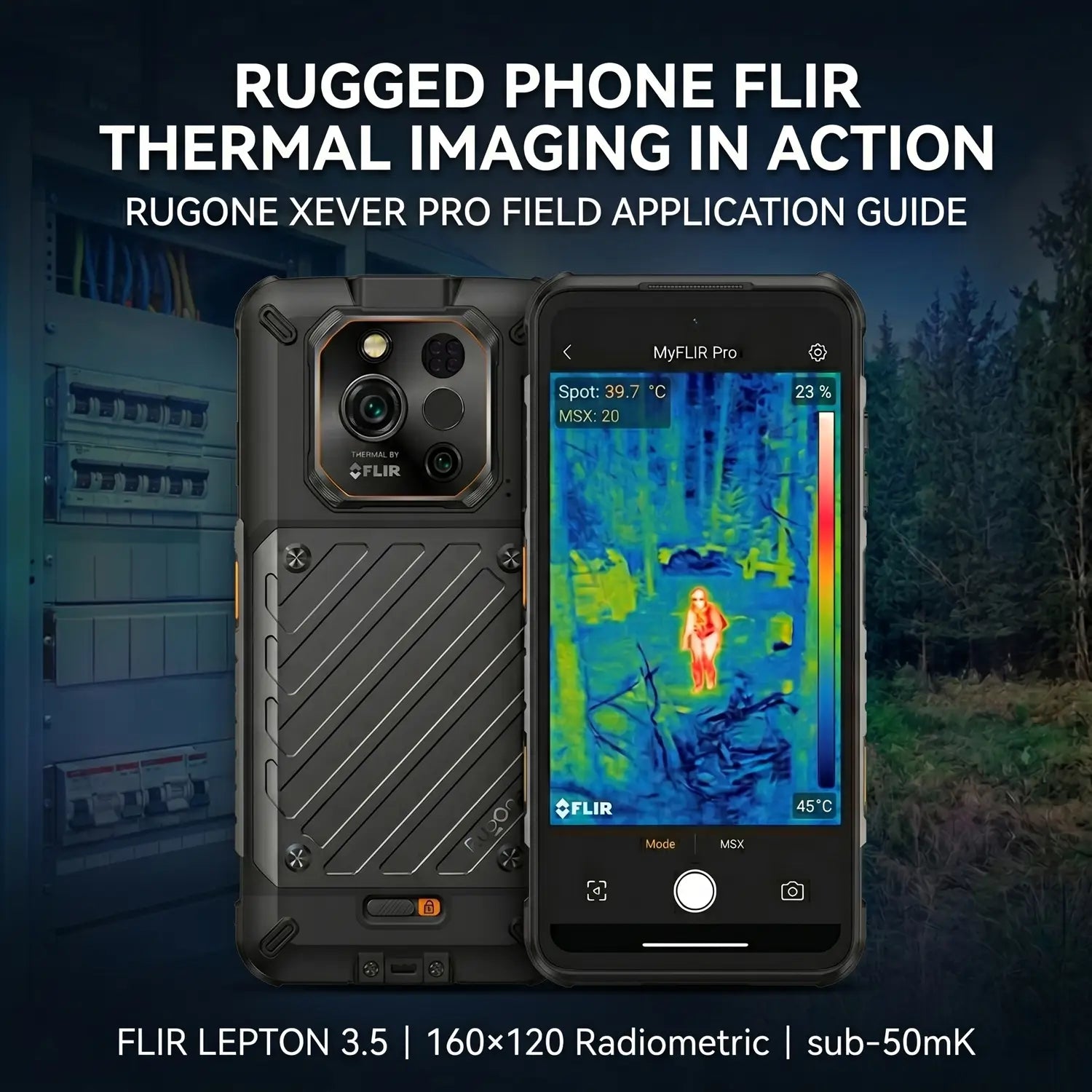
FLIR Thermal Camera on a Rugged Phone: What Thermal Imaging Actually Does in the Field
Thermal imaging has been a standard tool in industrial inspection, emergency response, and military operations for decades. What's changed in recent years is the size and cost of the sensors — compact enough now to integrate into a smartphone without adding significant bulk.
The RugOne Xever 7 Pro uses a FLIR Lepton 3.5 sensor, a radiometric longwave infrared camera module developed by Teledyne FLIR. This article covers how the technology works, what the specific sensor delivers, and the field applications where it's most useful.
How Thermal Imaging Works
Every object above absolute zero emits infrared radiation. The warmer the object, the more infrared energy it gives off. A thermal camera doesn't capture visible light — it detects this infrared radiation and maps it into a visual image, where temperature differences appear as color or brightness variations.
The result is a thermal image (also called a thermogram) that shows heat distribution across a surface or scene. This makes it possible to see things that are invisible to a standard camera or the human eye: heat escaping through insulation gaps, electrical components running hotter than normal, body heat in low-visibility environments, moisture trapped behind walls.
The key technical characteristics that determine how useful a thermal sensor is in practice are resolution, thermal sensitivity, dynamic range, and whether it produces radiometric (calibrated temperature) output or just a relative heat map.
The FLIR Lepton 3.5: Technical Specifications
The FLIR Lepton 3.5 is a longwave infrared (LWIR) micro thermal camera module. It operates in the 8–14 µm infrared spectrum, which is the range most relevant for detecting heat from everyday objects and environments.
Resolution: 160 × 120 pixels (19,200 thermal pixels)
The Lepton 3.5 captures a 160×120 active pixel array. This is the highest resolution in the Lepton product family. Each of the 19,200 pixels delivers an independent thermal reading, giving sufficient spatial detail for practical inspection work — identifying individual components in an electrical panel, mapping heat loss across a wall section, or locating a heat source within a mechanical system.
Thermal sensitivity: less than 50 mK
Thermal sensitivity (measured in millikelvin) describes the smallest temperature difference the sensor can detect. At under 50mK, the Lepton 3.5 can distinguish temperature differences smaller than 0.05°C — precise enough to catch subtle anomalies like a slightly overloaded circuit breaker or a minor thermal bridge in building insulation.
Scene dynamic range: up to 400°C
The sensor can capture scenes ranging from ambient temperature up to 400°C (752°F), making it usable in high-heat industrial environments where temperature differentials are large.
Radiometric output: calibrated temperature per pixel
The 3.5 version (as distinct from the non-radiometric Lepton 3.0) provides calibrated radiometric output across the entire pixel array. This means it doesn't just produce a relative heat map — it delivers an actual temperature value for every pixel in the frame. In practice, you can point it at a surface and measure the temperature at any point, not just compare relative warmth between areas.
Physical size: 11.8 × 12.7 × 7.2 mm
The module is smaller than a dime, which is why it integrates into a smartphone form factor without requiring a dedicated housing or attachment.
The MyFLIR Pro App
The Xever 7 Pro ships with the MyFLIR Pro application, FLIR's thermal imaging software. The app processes the Lepton 3.5's radiometric data and presents it in several usable formats.
Color palette options include Iron (the orange-to-white gradient most commonly associated with thermal imaging), Rainbow, Arctic, and others — each suited to different lighting conditions and use cases. Spot temperature measurement lets users tap any point in the thermal frame for an immediate temperature reading. Area measurement defines a region and returns the minimum, maximum, and average temperature within it.
MSX (Multi-Spectral Dynamic Imaging) overlays visible-light edge detail onto the thermal image, making it easier to identify exactly what you're looking at spatially. Images and video can be saved and shared directly from the device.
Field Applications
Thermal imaging on a rugged phone is most useful where the technology previously required carrying a separate, dedicated device. The following are the most common professional applications.
Electrical inspection
Thermal imaging is a standard diagnostic tool in electrical work. Overloaded circuits, loose connections, and failing components generate heat before they cause visible damage or trip breakers. A thermal scan of a panel, junction box, or wiring run can identify abnormal heat patterns that indicate a problem. The FLIR Lepton 3.5's radiometric output allows temperature readings to be logged and compared against baseline values.
Building inspection and energy auditing
Heat loss through walls, roofs, and floors shows up clearly in thermal images — gaps in insulation appear as cold patches, and moisture intrusion (which affects thermal conductivity) creates visible temperature differentials. Building inspectors and energy auditors use thermal imaging to document conditions that aren't apparent from visual inspection alone.
HVAC and mechanical systems
HVAC technicians use thermal cameras to verify that heating elements, ductwork, and refrigerant lines are operating within expected temperature ranges. A duct that's losing heat to an uninsulated space, or a refrigerant leak creating a cold spot, shows up clearly in a thermal image without requiring physical access to the component.
Search and rescue
Body heat is detectable through foliage, in darkness, and in smoky conditions where visible-light cameras and flashlights are ineffective. Wilderness search and rescue teams have used thermal imaging for years; having the capability integrated into a rugged communication device reduces the number of separate tools a responder needs to carry.
Wildlife observation and hunting
Thermal imaging makes it practical to detect animals at night or in dense vegetation by heat signature, before switching to a visible-light camera for a closer look. This use case is particularly relevant for hunters and wildlife researchers working in low-light environments.
Facility security and equipment monitoring
In facility management, thermal imaging can identify intrusions, check that mechanical equipment is running within normal temperature parameters, and detect heat anomalies in server rooms or electrical installations without requiring physical contact with the equipment.
How the Thermal Camera Fits Within the Xever 7 Pro
The FLIR Lepton 3.5 is integrated alongside the rest of the Xever 7 Pro's camera system: a 50MP OIS AI main camera, a 64MP night vision camera with four integrated IR lights, and a 32MP front camera. A 230-lumen TorchX flashlight is accessible via a programmable side button.
The phone runs on a MediaTek Dimensity 7025 chipset (6nm) with 12GB RAM and 512GB storage, expandable to 2TB via microSD. The 6.67-inch AMOLED display runs at 120Hz. Connectivity is 5G with eSIM support.
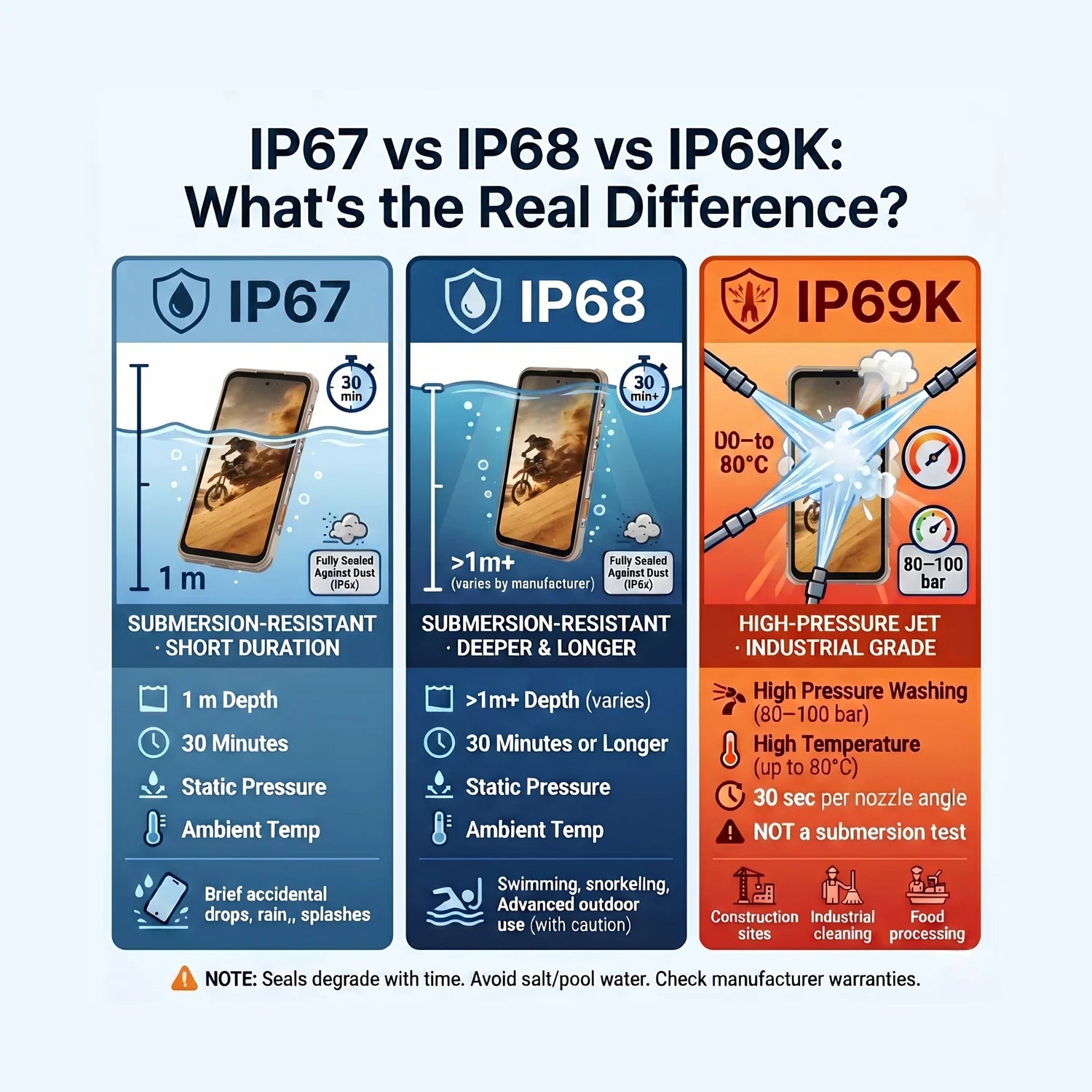
Durability specifications are IP68 and IP69K dual water resistance, MIL-STD-810H certified drop protection to 2 meters, and Gorilla Glass screen protection. The battery is a hot-swappable 5,550mAh unit; the phone ships with dual batteries and a 4-in-1 charging station. Software is Android 15 with committed updates through Android 18.
The Xever 7 Pro is priced at $659.99. For comparison, the Xever 7 — which uses a 50MP ultra-wide camera in place of the thermal sensor — is $529.99.
Quick Specs Reference
| Spec | Xever 7 Pro |
|---|---|
| Price | $659.99 |
| Thermal sensor | FLIR Lepton 3.5 |
| Thermal resolution | 160 × 120 pixels (radiometric) |
| Thermal sensitivity | < 50 mK |
| Scene dynamic range | Up to 400°C |
| Thermal app | MyFLIR Pro |
| Display | 6.67" AMOLED, 120Hz |
| Chipset | MediaTek Dimensity 7025, 6nm |
| RAM / Storage | 12GB / 512GB + microSD to 2TB |
| Battery | 5,550mAh hot-swappable (dual included) |
| Main camera | 50MP OIS AI |
| Night vision | 64MP + 4 IR lights |
| Flashlight | 230-lumen TorchX |
| Network | 5G + eSIM |
| Water resistance | IP68 + IP69K |
| Drop protection | MIL-STD-810H, 2 meters |
| Weight | 325g |
| OS | Android 15 → Android 18 |
Summary
The FLIR Lepton 3.5 is a professional-grade radiometric thermal sensor that has been adapted for integration into mobile devices. On the RugOne Xever 7 Pro, it provides calibrated temperature data across a 160×120 pixel array with sub-50mK sensitivity — specifications that are relevant to practical inspection and field work, not just general heat detection.
The use cases where this is most valuable — electrical inspection, building diagnostics, HVAC, search and rescue, wildlife work — are ones where professionals have traditionally relied on dedicated thermal devices. Having that capability in a rugged, IP69K-rated smartphone with a hot-swappable battery and 5G connectivity consolidates what would otherwise require two separate pieces of equipment.
Related reading:
Xever 7 vs Xever 7 Pro vs Xever 8: Which RugOne Phone Should You Buy in 2026?
RugOne Xever 8 Specs & Buyer's Guide — Rugged Phone with Hot-Swap Battery (2026)